
Flappedear AMS Badge
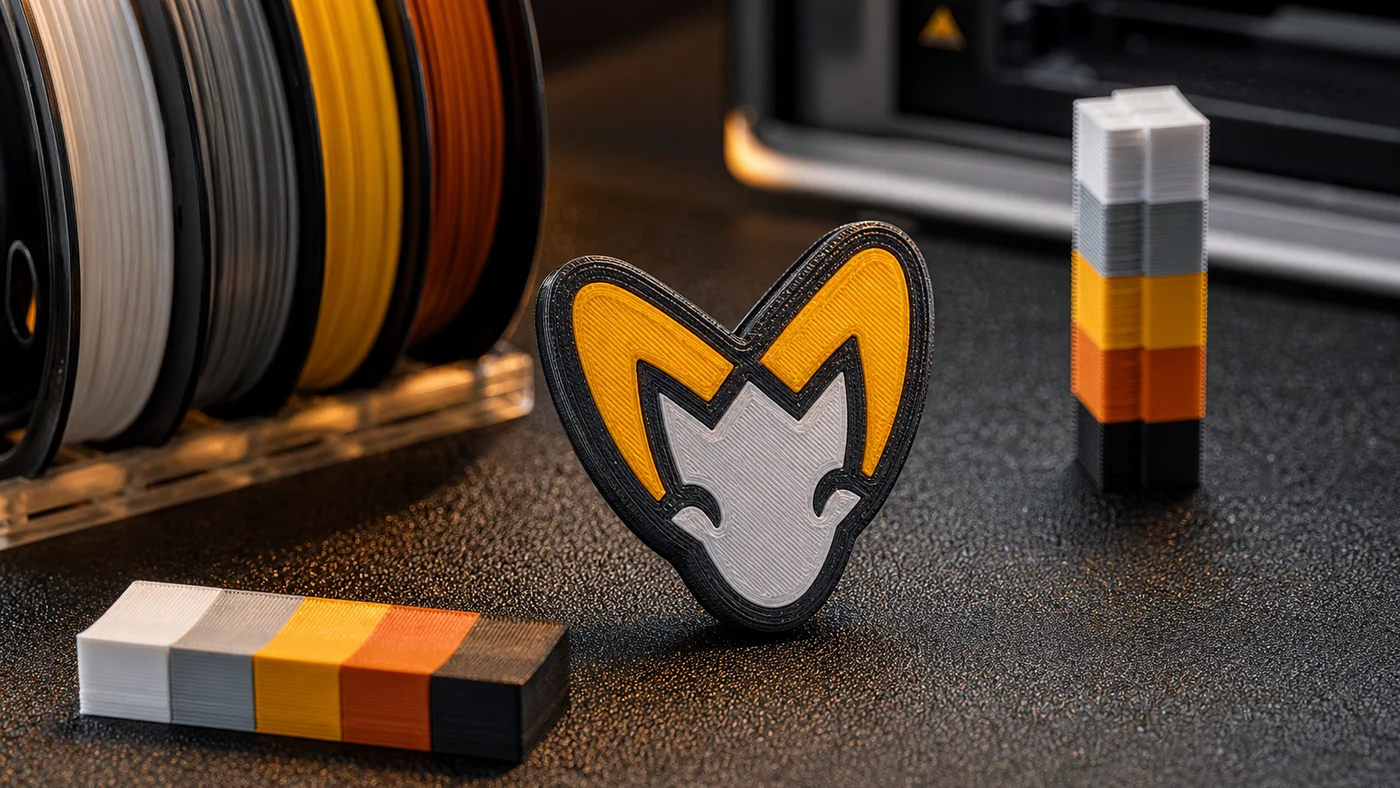
The Flappedear badge started as a small AMS test piece. I wanted something more useful than another colour cube, but still small enough to print repeatedly while tuning purge, first layer behaviour, and colour order.
The shape is intentionally simple: a bold outline, a few filled colour regions, and enough curved geometry to show whether the slicer is handling small details cleanly.
Why a badge is a good AMS test
AMS prints fail in different ways than single-material prints. The part might be mechanically fine, but the colour transitions can still look muddy. A badge makes that obvious immediately.
The top surface shows whether the first layer was clean, whether the colour boundaries are sharp, and whether purge volume is high enough. The outline shows whether the printer is leaving small gaps between colours. The back side shows whether the part stayed flat on the plate.
It is also quick. That matters because good AMS tuning takes repetition. You want a part you can run three or four times without feeling like you are wasting a whole evening.
Colour order matters
The biggest improvement came from thinking about colour order before slicing. If a light colour follows a dark one, the purge requirement goes up. White after black is the classic example. If you can arrange the print so the darker regions happen later, the purge block gets smaller and the result gets cleaner.
On small parts the waste can easily become larger than the object. That is not a reason to avoid multi-colour printing, but it is a reason to be deliberate. A badge is small enough that the purge strategy dominates the print.
First layer still decides the print
The AMS adds complexity, but the boring rules still apply. The plate has to be clean. The first layer has to be slow. The purge tower needs to stick just as well as the actual part.
If the purge tower breaks loose, the print may continue for a while and quietly ruin every colour swap after that. I treat the tower as part of the print, not as disposable background noise.
Small design tweaks
Raised outlines look better than flat colour fills because they hide tiny alignment errors. A shallow bevel also helps the badge catch light without needing a glossy filament.
For this kind of part I prefer thick colour regions over hairline details. Thin details can look great in a render, then turn into noisy toolpaths and weak islands on the printer. If the badge needs to survive being handled, the design has to respect nozzle width.
What I would try next
The next useful test is a version with a recessed magnet pocket on the back. That would turn the badge from a calibration piece into something that can live on a toolbox or printer frame.
I also want to test the same design in matte filaments. Glossy filament makes the layer lines look sharper in photos, but matte filament usually makes small decorative prints feel more finished in person.